Is your Firestick remote not working? Buttons do nothing, the remote will not pair, or only the volume fails? Do not buy a new one yet. In most cases the problem is batteries, pairing or a frozen Firestick, and you can fix it in a few minutes.
If your Firestick remote is not working, below are 9 fixes in the order you should try them, from the quickest to a full remote reset.
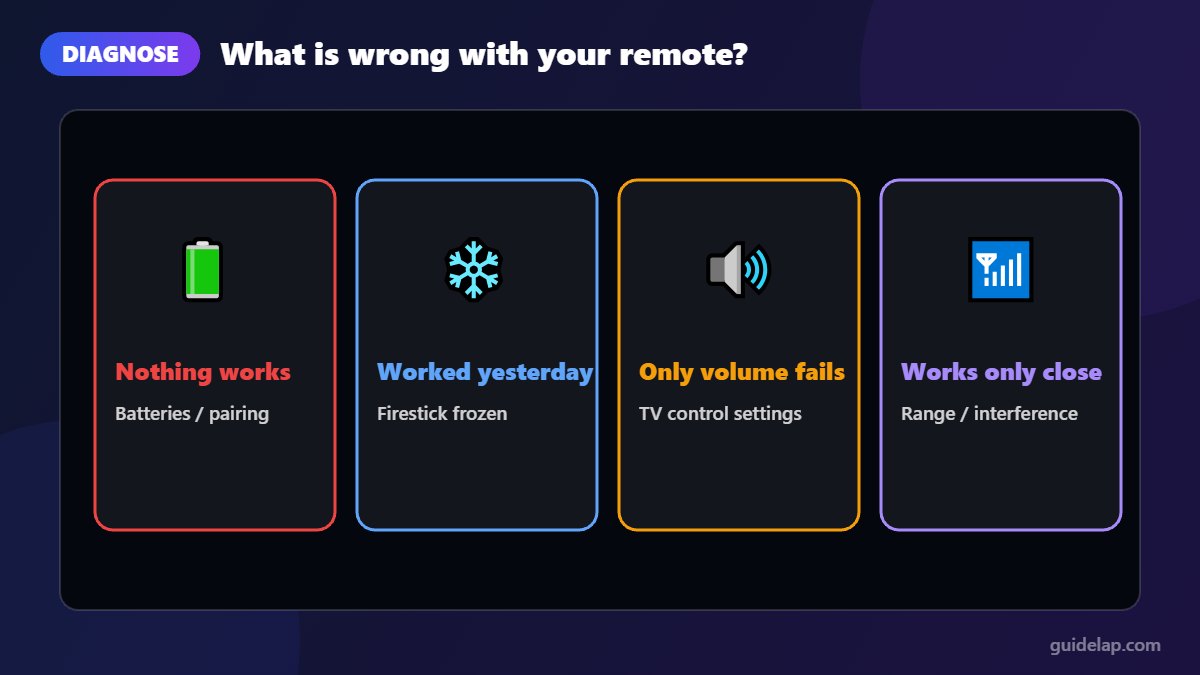
Quick diagnosis
| Symptom | Most likely cause | Try first |
|---|---|---|
| Nothing responds at all | Dead batteries or lost pairing | Fixes 1–3 |
| Remote worked yesterday, not today | Firestick frozen | Fix 4 |
| Only volume / power does not work | TV control (IR/CEC) settings | Fix 7 |
| Remote works only up close | Weak batteries or interference | Fixes 1 and 6 |
| New or replacement remote | Not paired yet | Fix 3 |
Fix 1: Replace or reseat the batteries
Weak batteries are the number one cause. Take the batteries out, check they are inserted the right way, and put in a fresh pair of good-quality alkaline batteries. Avoid mixing old and new batteries.
Fix 2: Move closer and remove obstacles
Fire TV remotes use Bluetooth, but range still matters. Stand within about 3 metres (10 feet) of the TV and make sure the Firestick is not hidden behind the TV in a metal cabinet. An HDMI extender cable (often included in the box) moves the stick away from the TV and improves the signal.
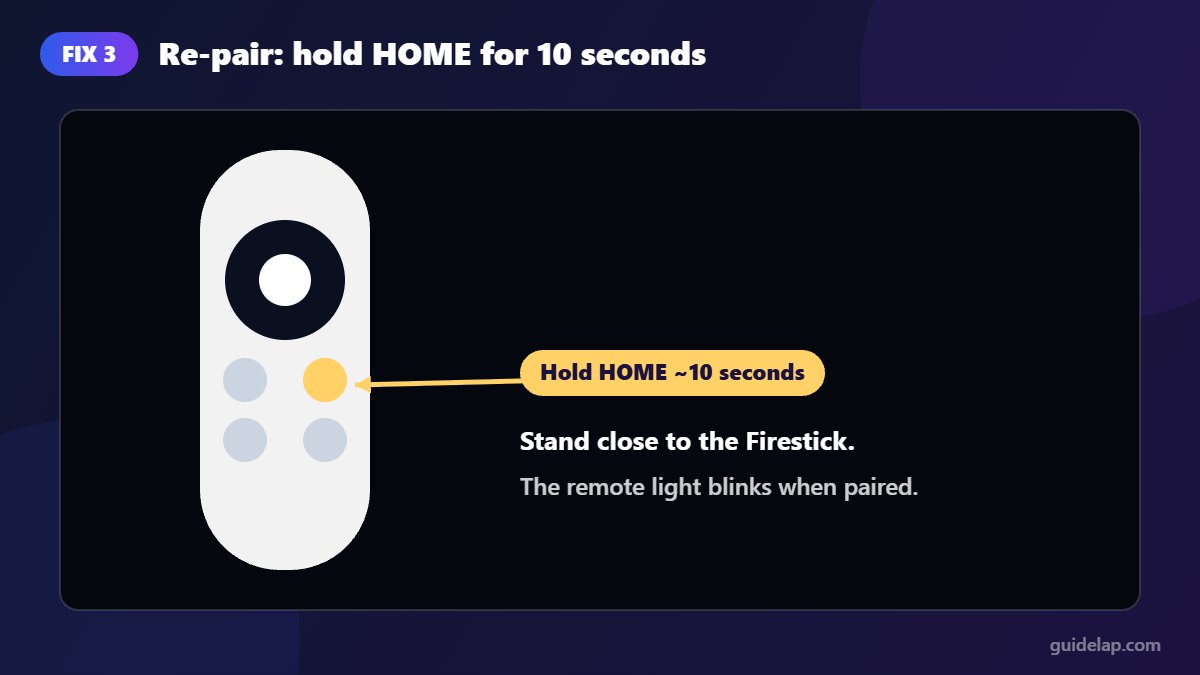
Fix 3: Re-pair the remote (hold Home for 10 seconds)
- Stand close to the Firestick.
- Press and hold the Home button for about 10 seconds.
- Release it. The light on the remote should blink, and a message may confirm the remote is paired.
- If nothing happens, try once more.
Fix 4: Restart your Firestick
A frozen Firestick is a common reason a Firestick remote is not working, because the stick simply ignores it. Unplug the Firestick from the power (not just the TV), wait 60 seconds, then plug it back in and wait for the home screen. Try the remote again, and re-pair it if needed. If the Firestick itself keeps freezing, see how to factory reset Firestick as a last resort.
Fix 5: Reset the Firestick remote
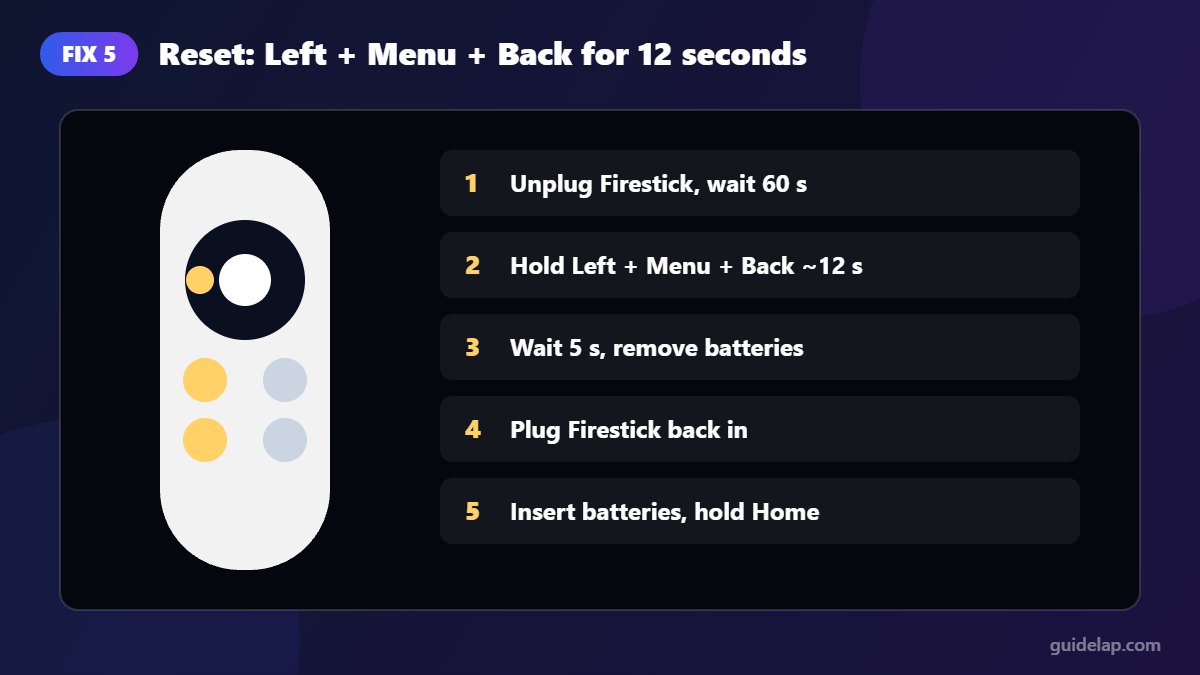
If pairing fails, a full reset clears the remote’s connection. On most Alexa Voice Remotes (the same steps are described in Business Insider’s guide):
- Unplug the Firestick and wait 60 seconds.
- On the remote, press and hold Left (on the navigation ring), Menu (three lines) and Back together for about 12 seconds.
- Release, wait 5 seconds, then remove the batteries.
- Plug the Firestick back in and wait for the home screen.
- Put the batteries back in and press Home. If it does not pair automatically, hold Home for 10 seconds.
Older or basic remotes can use a different button combination. If the steps above do nothing, check the model printed on your remote and Amazon’s help page for that model.
Fix 6: Use the Fire TV app on your phone
While you fix the remote, you can control the Firestick with the free Amazon Fire TV app for Android and iPhone. Connect your phone to the same Wi-Fi network, open the app, select your Firestick and enter the code shown on the TV. It also has a keyboard, which is handy for typing URLs in apps like Downloader.
Fix 7: Volume or power buttons not working
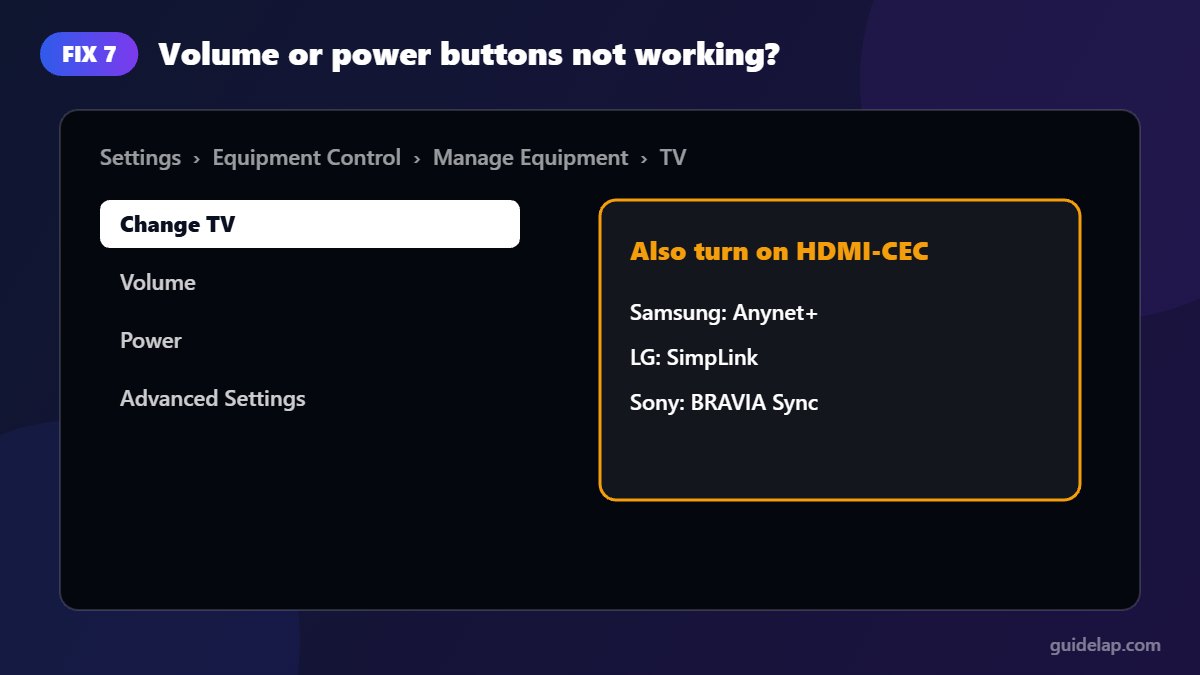
Volume and power buttons control your TV or soundbar, not the Firestick, using infrared or HDMI-CEC. If only these buttons fail:
- Go to Settings → Equipment Control → Manage Equipment.
- Select your TV (or soundbar) and choose Change TV or run the setup again.
- Follow the on-screen test to find the right brand profile.
- Also make sure HDMI-CEC is enabled in your TV’s settings (it has brand names such as Anynet+ or SimpLink).
Fix 8: Remove interference and unpair other remotes
Too many Bluetooth devices nearby can cause issues, and a Firestick can only keep a limited number of remotes paired. Go to Settings → Controllers & Bluetooth Devices → Amazon Fire TV Remotes and remove old remotes you no longer use. Then re-pair your remote with Fix 3.
Fix 9: Replace the remote
If your Firestick remote is not working after all these fixes, the remote may be damaged (water, drops). Buy an official Alexa Voice Remote that is compatible with your Firestick model, and pair it by holding Home for 10 seconds. Cheap third-party clones often do not support the reset combination.
Other Firestick problems?
If your remote works but the Firestick feels slow, follow our guide to clear cache on Firestick. If videos stutter, see how to fix IPTV buffering.
Frequently asked questions
Why is my Firestick remote not working even with new batteries?
The remote may have lost its pairing or the Firestick may be frozen. Restart the Firestick by unplugging it for 60 seconds, then hold Home for 10 seconds to re-pair.
How do I reset my Firestick remote?
Unplug the Firestick, hold Left, Menu and Back together for about 12 seconds, remove the batteries, plug the Firestick back in, reinsert the batteries and hold Home for 10 seconds.
How do I control my Firestick without a remote?
Install the free Amazon Fire TV app on your phone, connect to the same Wi-Fi network and pair it with the code shown on the TV.
Why does only the volume button not work?
Volume controls your TV through infrared or HDMI-CEC. Run the TV setup again in Settings, Equipment Control, Manage Equipment.
Can I use any Fire TV remote with my Firestick?
Most official Alexa Voice Remotes work with most Fire TV Sticks, but check compatibility for your model before buying.
Final thoughts
When your Firestick remote is not working, start simple: fresh batteries, hold Home for 10 seconds, and restart the Firestick. If that fails, a full remote reset fixes most remaining cases. Keep the Fire TV phone app installed as a backup remote.