Looking for IPTV Smarters Pro on iPhone, iPad or Apple TV? If you search the App Store for “IPTV Smarters Pro”, you may be confused: on Apple devices the official app from the same developer is called Smarters Player Lite. In this guide you will learn how to find the right app, install it on iPhone, iPad and Apple TV, and log in.
Smarters Player Lite is a media player only. It does not include channels. Use it with an IPTV service that is licensed to distribute its content.
IPTV Smarters Pro vs Smarters Player Lite on Apple
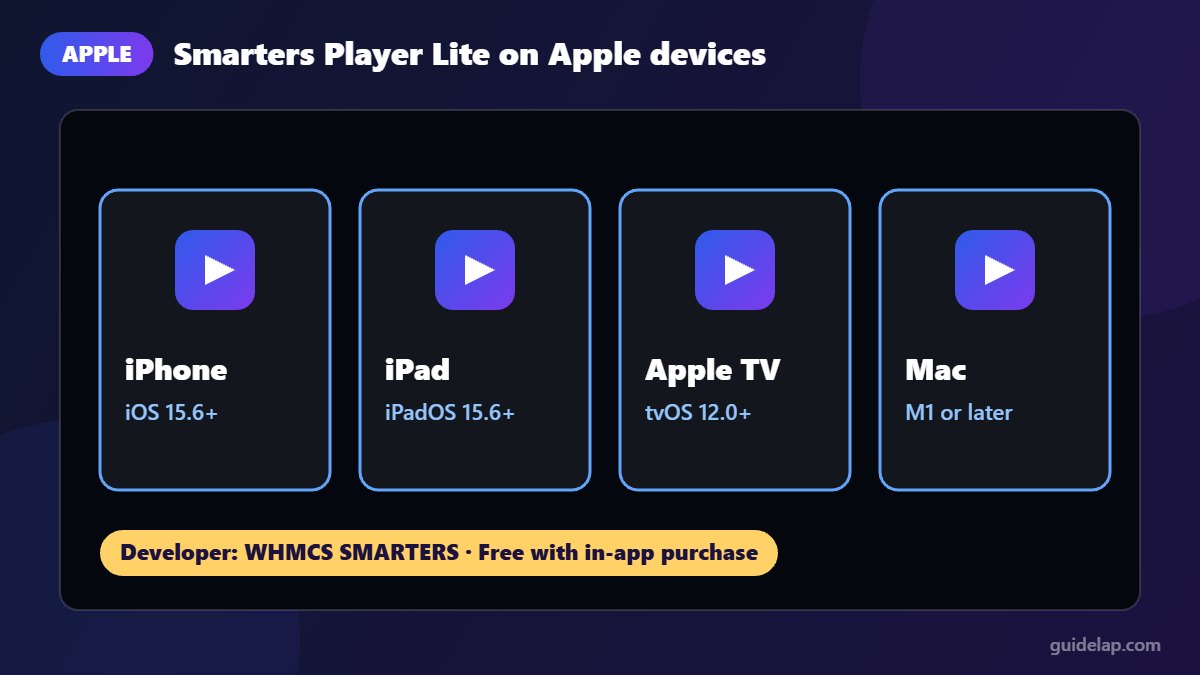
The official Apple version is published by WHMCS SMARTERS, the same developer behind IPTV Smarters Pro on Android. It is described as the “lite” version of IPTV Smarters Pro with the basic features unlocked.
| Smarters Player Lite (Apple) | |
|---|---|
| Developer | WHMCS SMARTERS |
| Price | Free, with optional in-app purchase (e.g. remove ads) |
| iPhone / iPad | iOS / iPadOS 15.6 or later |
| Apple TV | tvOS 12.0 or later |
| Mac | Apple Silicon (M1 or later) Macs |
| Logins | Xtream Codes API, M3U URL, M3U file |
| Content types | Live TV, Movies, Series, Radio, local audio/video files |
Requirements can change with updates, so check the official App Store listing before you install.
How to install IPTV Smarters Pro on iPhone and iPad
- Open the App Store.
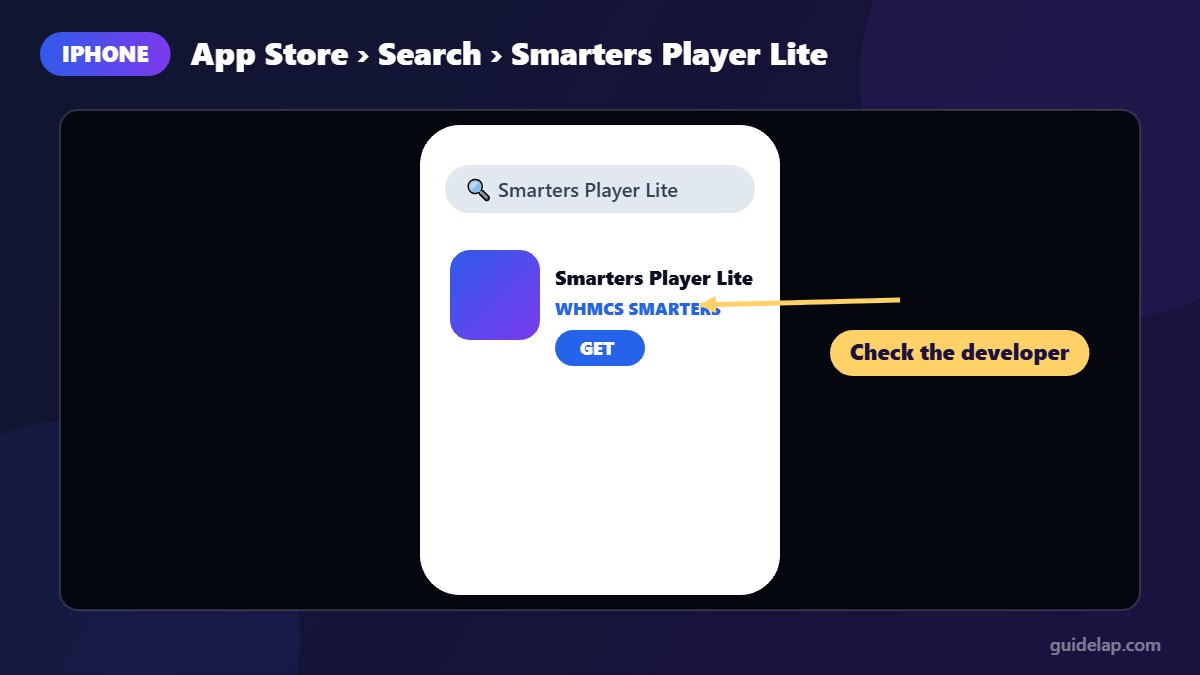
- Tap Search and type Smarters Player Lite.
- Check that the developer is WHMCS SMARTERS. Ignore copycat apps with similar names.
- Tap Get and confirm with Face ID, Touch ID or your password.
- Open the app and accept the terms of use.
That is all it takes to get the official IPTV Smarters Pro on iPhone and iPad.
How to install it on Apple TV
- On your Apple TV, open the App Store.
- Select Search and type Smarters Player Lite.
- Choose the app by WHMCS SMARTERS and select Get.
- Open the app from the home screen.
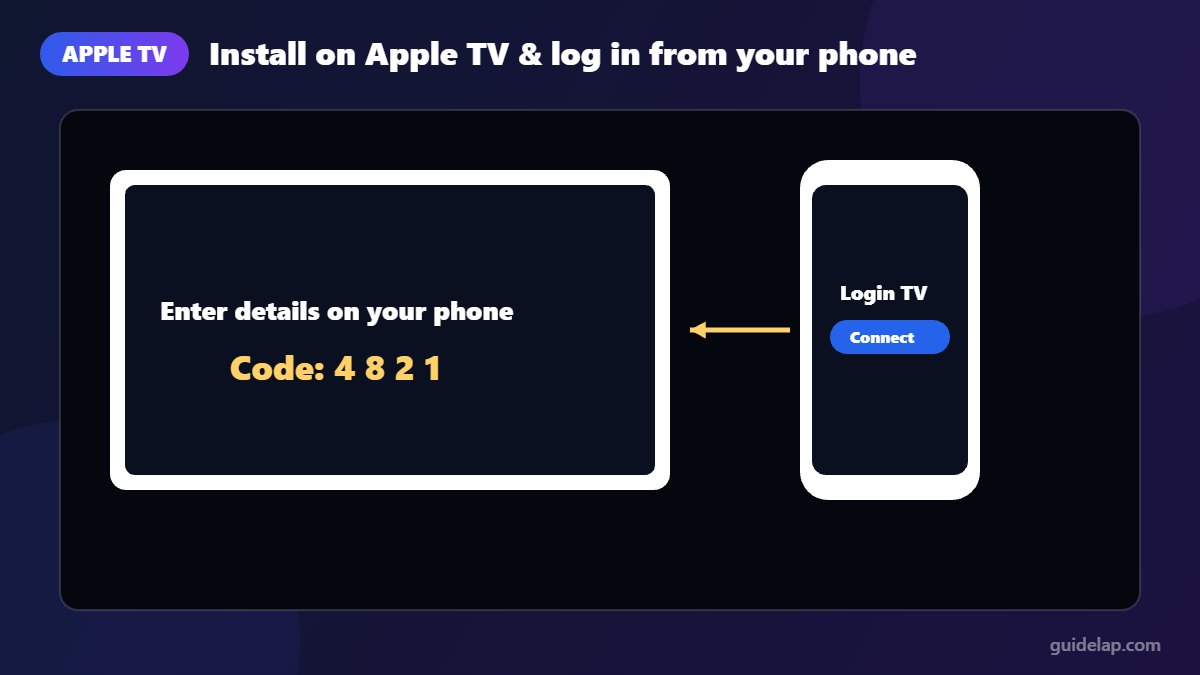
Typing long logins with the Apple TV remote is slow. Recent versions of the app include an option to log in on the TV through the mobile app, so you can enter your details on your iPhone instead.
How to log in
Xtream Codes API (recommended)
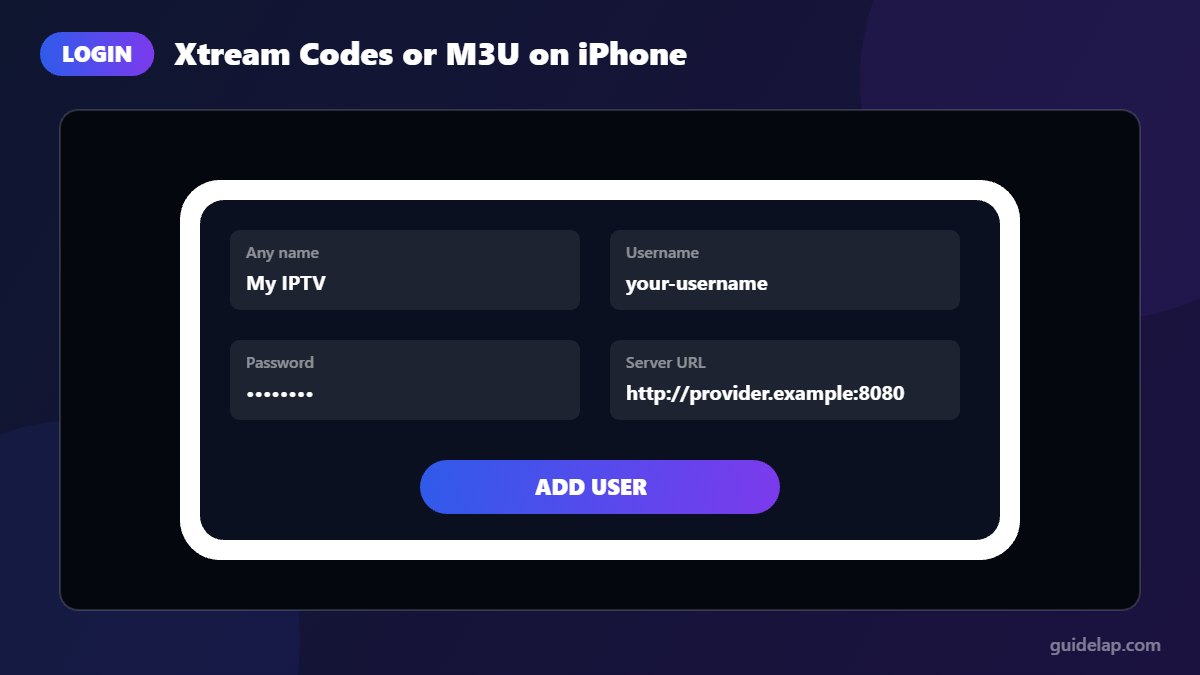
- Choose Xtream Codes API.
- Enter any name, your username, password and the server URL from your provider (with
http://and the port). - Tap Add User and wait for your channels to load.
M3U playlist
- Choose M3U URL (or load an M3U file).
- Paste the playlist link from your provider and add the EPG link if you have one.
- Tap Add User.
Not sure which to pick? Read M3U vs Xtream Codes. For the TV guide, see how to add EPG.
Tips for the best experience on iPhone and Apple TV
- Use Wi-Fi rather than mobile data to avoid using up your data plan.
- On Apple TV, connect with Ethernet if possible for smoother live TV.
- If streams stutter, try our 12 fixes for IPTV buffering.
- The app is landscape-only on iPhone; rotate your phone for the full interface.
Troubleshooting
I cannot find the app in the App Store
Search for “Smarters Player Lite” rather than “IPTV Smarters Pro”, and check the developer name. Availability can vary by country.
Login fails
Check for spaces or capital letters in your username and password, make sure the server URL includes the port, and confirm your subscription is active.
Channels load but do not play
Try another channel to see whether the problem is with one stream or all of them. If it is only some channels, contact your provider.
Other devices
Using a different device? Here is how to install IPTV Smarters Pro on Firestick, Android TV and Google TV, Samsung and LG smart TVs, and Windows PC & Mac.
Frequently asked questions
Is IPTV Smarters Pro available on iPhone?
On Apple devices, the official app from the IPTV Smarters developer is called Smarters Player Lite, published by WHMCS SMARTERS on the App Store.
Is Smarters Player Lite free?
Yes. It is free to download, with an optional in-app purchase such as removing ads.
Does Smarters Player Lite work on Apple TV?
Yes. The App Store listing lists Apple TV support (tvOS 12.0 or later).
Can I use Xtream Codes on iPhone?
Yes. Smarters Player Lite supports Xtream Codes API, M3U URLs and M3U files.
Is there TiviMate for iPhone?
No. TiviMate is Android-only. See our TiviMate vs IPTV Smarters Pro comparison for details.
Final thoughts
To get IPTV Smarters Pro on iPhone, iPad or Apple TV, install the official Smarters Player Lite app by WHMCS SMARTERS from the App Store, then log in with Xtream Codes or M3U. Always check the developer name to avoid copycat apps.