A VPN encrypts your internet connection, hides your IP address from your internet provider and can stop ISP throttling that causes buffering. In this guide you will learn how to install a VPN on Firestick step by step, which VPNs have an official Fire TV app, and how to set it up so it connects automatically.
Important: a VPN protects your privacy, but it does not make unlicensed streaming legal. Only stream content you have the right to watch.
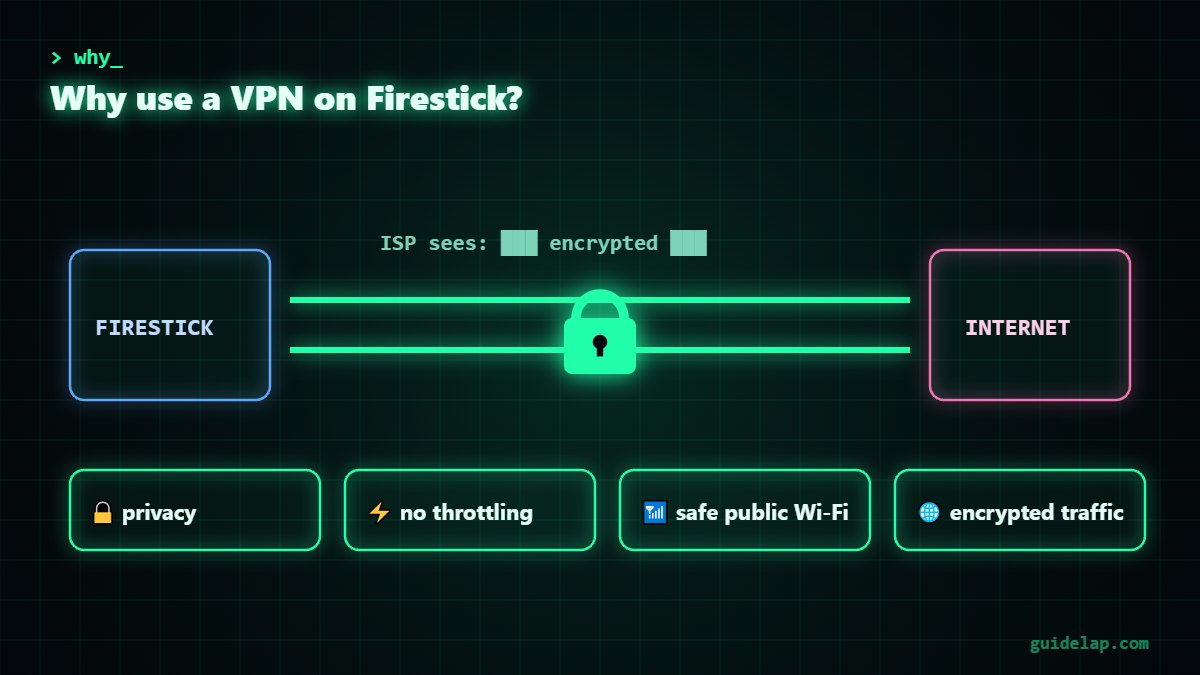
Why use a VPN on Firestick?
- Privacy: your provider cannot see which sites and apps you use.
- Stop throttling: some ISPs slow down streaming traffic; an encrypted connection can prevent this.
- Public Wi-Fi safety: useful in hotels and shared networks.
- Fewer blocked connections: helps when your network blocks certain servers.
Best VPN apps for Firestick
These VPNs have an official app in the Amazon Appstore, so you can install a VPN on Firestick without sideloading:
| VPN | Fire TV app | Free plan | Notes |
|---|---|---|---|
| NordVPN | Yes | No | Fast servers, also on newer Vega OS sticks |
| Surfshark | Yes | No | Unlimited devices on one plan |
| ExpressVPN | Yes | No | Simple one-click app |
| Proton VPN | Yes | Yes (no data limit) | Free plan needs Fire OS 7 or newer |
| IPVanish | Yes | No | Long-time Fire TV support |
Prices and availability change often, so check the current offer on the official website before you subscribe. Avoid unknown “free VPN” apps that are not from a trusted company — they may log or sell your data.
How to install a VPN on Firestick (step by step)
- Press the Home button on your remote.
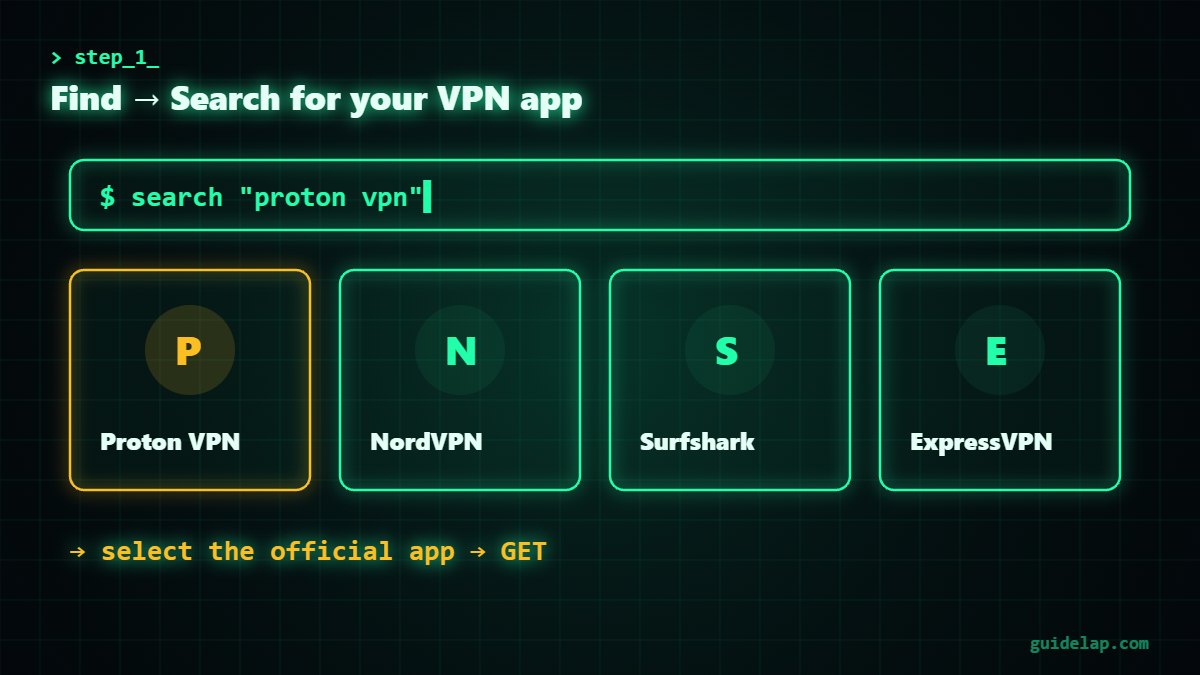
- Go to Find → Search.
- Type the name of your VPN (for example Proton VPN or NordVPN).
- Select the official app and click Get or Download.
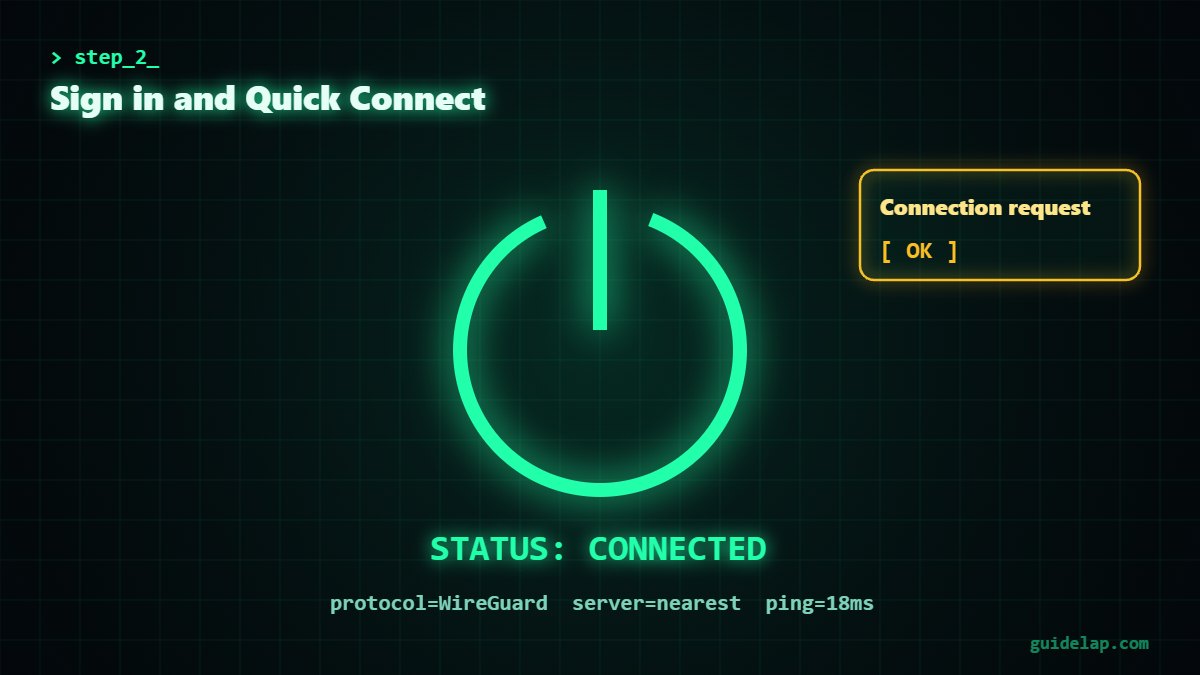
- Open the app and sign in with your VPN account (some apps show a code you confirm on your phone).
- Allow the connection request when Fire OS asks.
- Select Quick Connect or choose a nearby server.
Best settings after you install VPN on Firestick
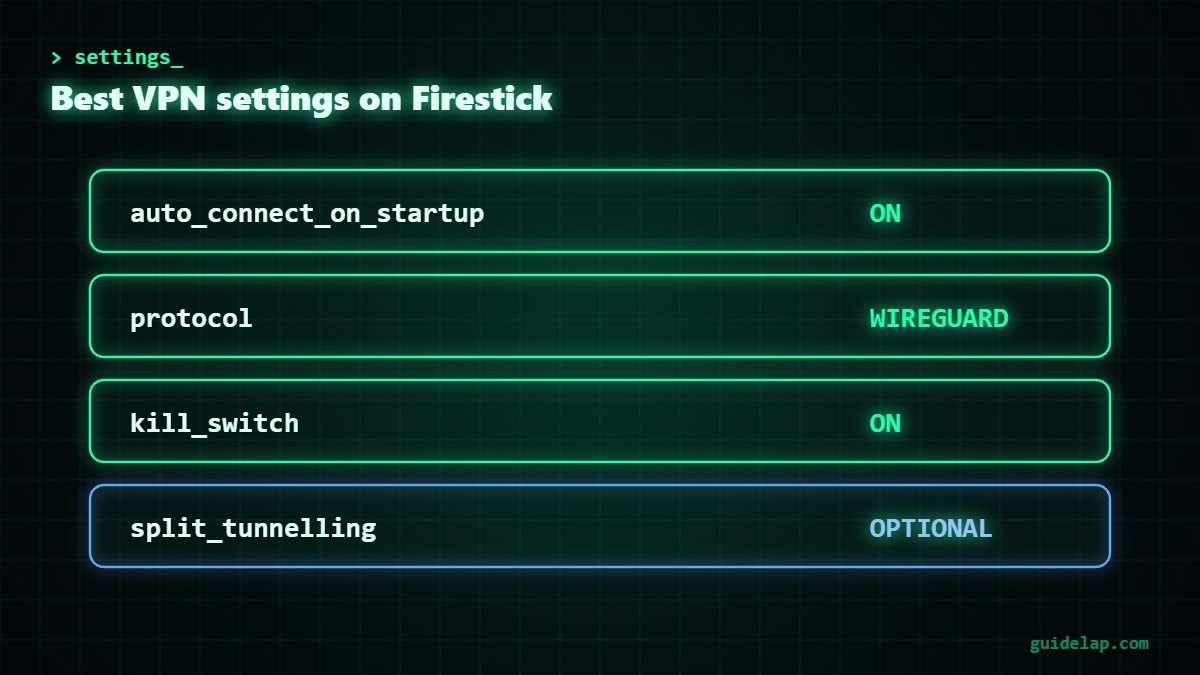
- Auto-connect on startup: turn it on so the VPN starts when the Firestick boots.
- Protocol: choose WireGuard (or NordLynx / Lightway) for the best speed.
- Server: pick a server close to you for the lowest latency.
- Kill switch: enable it if the app offers one, so traffic stops if the VPN drops.
- Split tunnelling: some apps let you exclude apps that do not need the VPN.
Does a VPN slow down Firestick?
A VPN adds a small overhead, usually a few percent with WireGuard on a nearby server. If your ISP throttles streaming, a VPN can actually make playback smoother. If it gets slower, change servers, switch protocol, and read our IPTV buffering fixes and how to clear cache on Firestick.
Troubleshooting VPN on Firestick
The VPN app is not in the Appstore
Some apps are not available on every Fire TV model or region. Make sure your device is updated. Newer Vega OS sticks (like the Fire TV Stick 4K Select) only support apps from the Appstore and cannot sideload.
The VPN connects but apps do not load
Switch to another server, change the protocol, or restart the Firestick by holding Select + Play/Pause for 5 seconds.
Hard to type with the remote
Use the sign-in code on your phone if offered, or install the Fire TV app on your phone as a keyboard. If the remote itself fails, see Firestick remote not working.
Next step: set up an IPTV player such as IPTV Smarters Pro on Firestick or one of the best IPTV players. For general privacy tips, the EFF Surveillance Self-Defense guide is a good resource.
Not sure which VPN to buy? Compare the best VPN for IPTV.
Frequently asked questions
Is there a free VPN for Firestick?
Yes. Proton VPN has a free plan with no data limit and an official Fire TV app (Fire OS 7 or newer). Free plans have fewer servers and features.
Can I install a VPN on Firestick without sideloading?
Yes. NordVPN, Surfshark, ExpressVPN, Proton VPN and IPVanish are in the Amazon Appstore. Just search for them in Find.
Is using a VPN on Firestick legal?
In most countries using a VPN is legal. But a VPN does not make it legal to watch unlicensed content.
Will a VPN fix IPTV buffering?
It can if your internet provider throttles streaming. If the problem is the IPTV server or your Wi-Fi, a VPN will not help.
How do I make the VPN start automatically?
Open the VPN app settings and enable auto-connect or “connect on startup”.
Final thoughts
To install VPN on Firestick takes about two minutes: search the app in Find, download it, sign in and connect. Turn on auto-connect and WireGuard for the best experience, and always stream legal content.